Export and printing
The Download window — XML, submission package, Excel, print form, document list and declaration documents.
The Download button in the bottom panel opens a window with everything you can get from the declaration. Until the document cards are confirmed, the button is inactive.
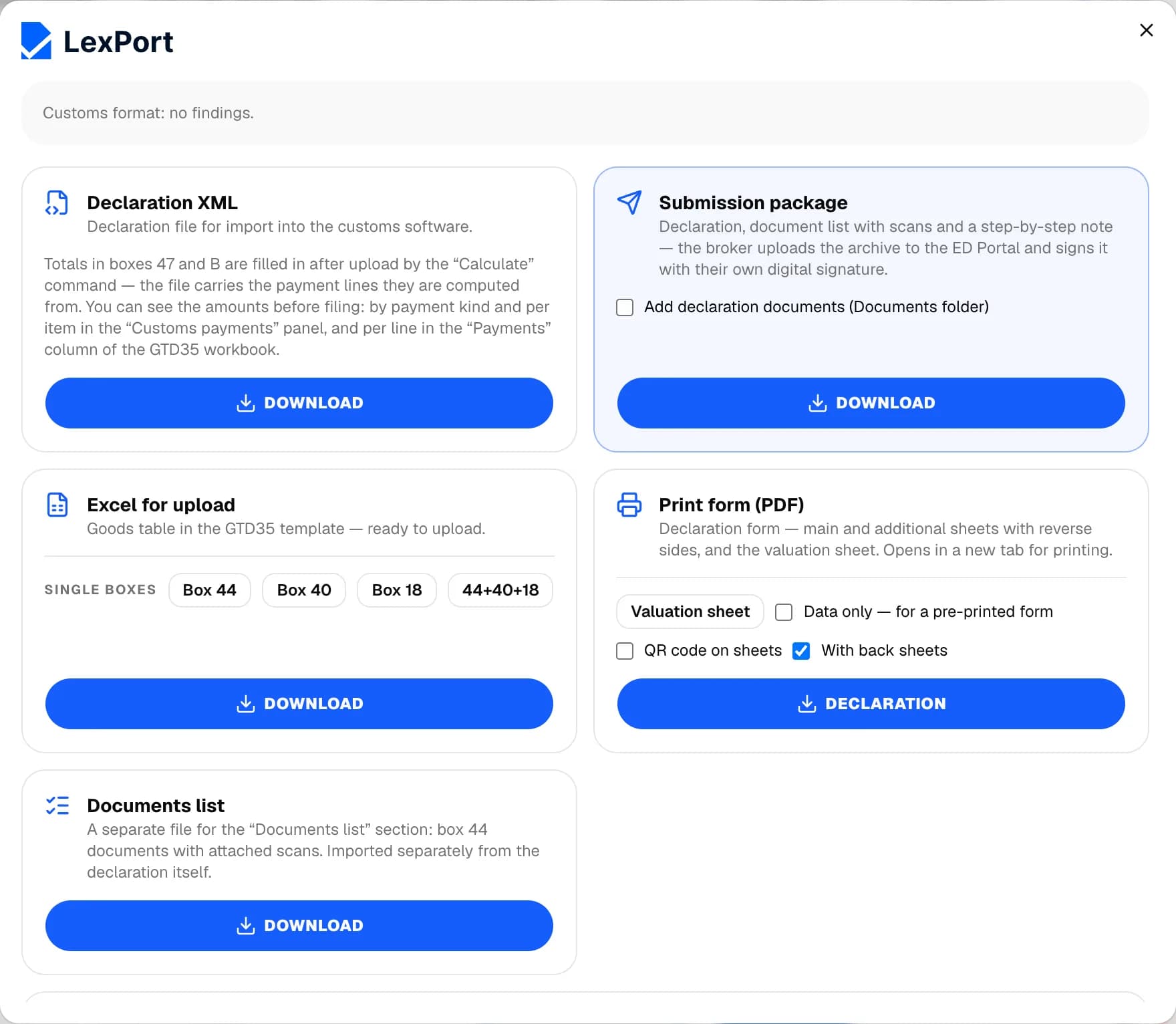
Declaration XML
The declaration file for import into the customs software. If there are more than 100 items, you get an archive of several declarations. If errors remain in the declaration, the export window opens first — see Checks and errors.
Each XML download is marked in the journal in the Exp. column — a check mark means the declaration hasn't changed since it was exported.
Submission package
An archive with the declaration, document list, document scans and step-by-step instructions: the broker uploads it to the ED portal and signs it with their digital signature. The Add declaration documents (Documents folder) checkbox adds a Documents folder — it's for printing and doesn't go to the portal.
Excel for upload
A goods table in the GTD35 template. For individual boxes, use the Box 44, Box 40, Box 18 and 44+40+18 buttons.
Print form (PDF)
The declaration form — main and supplementary sheets — and the CVD. It opens in a new tab, and you print from there.
- Data only — for a pre-printed form — prints without the form frames;
- QR code on sheets — defaults to your print settings;
- With back sheets — on by default.
To print a single sheet, use Actions → Print sheet (PDF) or Ctrl + P.
Document list
A separate file for the "List of documents" section: box 44 documents with their scans. The list itself is the ED sheet on the boxes screen: there you can Add documents, Attach from deal documents or Remove from the list; the total file size is shown at the bottom.
Declaration documents
The application, document list, inspection and sampling reports, guarantee obligation, broker's invoice, guarantee letter and other documents are built from the boxes and your profile. They're listed in the Declaration docs section: there you can download a document in Word or Excel, all of them as one archive, or Refresh from declaration if the boxes have changed (manual edits are cleared when you do).