Pricing and payment
Page packs for yourself and for a company, payment via Payme or Click, and your balance.
What counts
One recognized document is one "page" of your balance. It's charged when you press Extract data. If a document was never recognized or was deleted while waiting in the queue, the page is returned; Try again charges it again. Your balance is shown in the ring in the header.
Plans
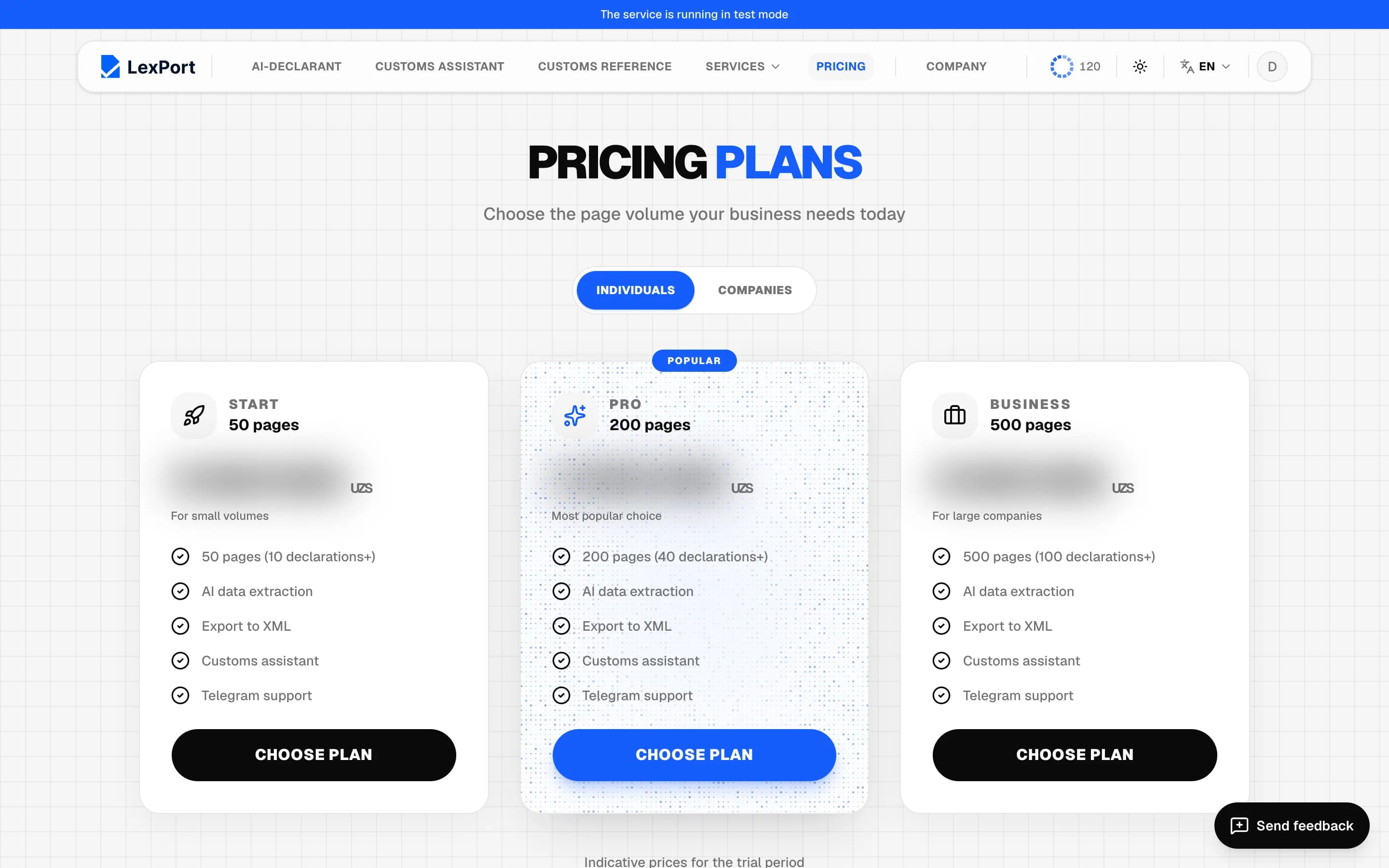
The Pricing section has the Individuals and Companies tabs. A card shows the number of pages, the number of members for company plans, the price and features.
A company pack tops up the team's shared balance and is bought by the company admin. A member sees "Your company admin buys this", and someone not in a company sees a Create a company link.
Payment
Choose plan → Choose a payment method: by card via Payme or via Click → Pay. Payment happens on the payment system's secure page; the payment purpose is "Payment for LexPort software".
After payment the pages are added to your balance: a personal plan to yours, a company plan to the shared balance, and "Package purchase" appears in the company history. The receipt is fiscalized.
When you run out of pages
If your balance is less than the number of files in the queue, Limit reached opens with your balance and a Choose plan button. You can also top up from the account menu — Top up.